
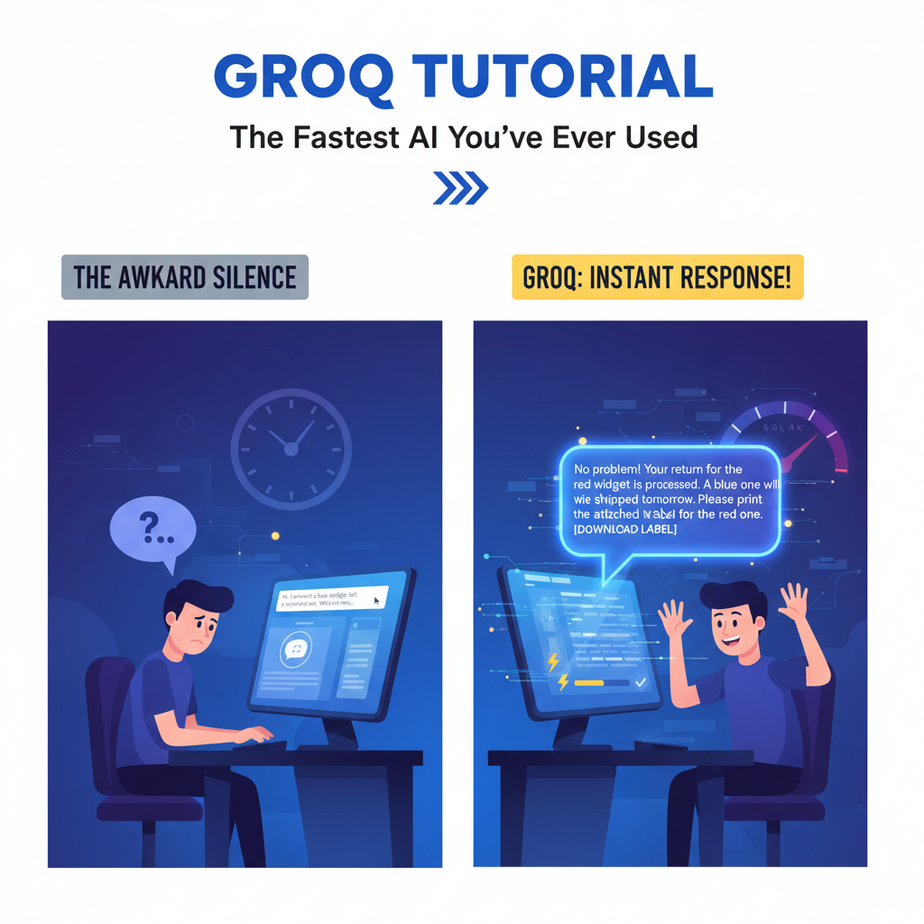
The Awkward Silence
Picture this. You’re trying to get help from a website’s “AI Assistant.” You type your question: “Hi, I ordered a blue widget, but I received a red one. What’s the return process?”
You hit enter. The little three-dot “thinking” animation appears.
And you wait.
And wait.
It feels like you’re talking to a sloth on sleeping pills. After eight agonizing seconds, a perfectly polite, but criminally late, response appears. By then, you’ve already closed the tab, found the company’s phone number, and are mentally preparing for battle with a human.
That awkward silence? That’s latency. And it’s the silent killer of 99% of AI applications. It’s the difference between a tool that feels like magic and a tool that feels like a dial-up modem.
Why This Matters
In the world of automation, speed isn’t a feature; it’s a prerequisite. A slow AI is a useless AI for any task that involves a human-in-the-loop.
Think about it. Would you use a search engine that took 10 seconds to give you results? A voice assistant that paused for a cringey amount of time before answering? Of course not. You’d assume it was broken.
This workflow replaces the slow, clunky, and ultimately unusable AI experiences that frustrate customers and kill productivity. We are replacing the “AI Intern” who takes forever to think with a “Robot Mastermind” that responds instantly. This unlocks a new class of real-time automations — from conversational voice agents to instant data analysis — that were simply impossible before.
For your business, this means happier customers, more efficient internal tools, and the ability to build AI products that people actually want to use.
What This Tool / Workflow Actually Is
Let’s be clear. We’re talking about a company called Groq (that’s Groq with a ‘q’, not to be confused with Elon’s Grok with a ‘k’).
What it is:
Groq is an inference engine. Think of it like a specialized race car engine for AI. While companies like OpenAI and Google spend billions building the giant AI models (the “car”), Groq builds the hardware and software to run those models at absolutely ludicrous speeds. They invented a new type of chip called an LPU, or Language Processing Unit, designed to do one thing: run large language models faster than anything else on the planet.
What it is NOT:
Groq is not a new AI model like GPT-4 or Claude. They don’t train their own models. Instead, they host popular open-source models (like Llama 3 and Mixtral) and run them on their super-fast hardware. It’s not a general-purpose cloud like AWS. It’s a specialist. A speed demon.
So when you use the Groq API, you’re sending your prompt to a familiar model, but getting the answer back at a speed that feels like it breaks the laws of physics.
Prerequisites
This is where people get nervous. Don’t be. If you can follow a recipe to bake a cake, you can do this.
- A GroqCloud Account: Go to their website, sign up. It’s free to get started and they give you a generous amount of credits.
- An API Key: This is just a secret password that lets your code talk to Groq. We’ll get this in Step 1. Don’t worry, it’s just a copy-paste job.
- Python Installed: If you don’t have it, a quick search for “Install Python on [Your Operating System]” will get you there in 5 minutes. We are only writing a few lines of code. I promise.
That’s it. No machine learning degree required. No need to sell your soul for a dozen GPUs.
Step-by-Step Tutorial
Alright, let’s build our race car. This will take less than 10 minutes.
Step 1: Get Your Groq API Key
This is your key to the ignition. Guard it well.
- Go to GroqCloud and log in.
- On the left-hand menu, click on “API Keys”.
- Click the “Create API Key” button. Give it a name you’ll remember, like “MyFirstAutomation”.
- The site will generate a long string of text. This is your key. COPY IT IMMEDIATELY. You will not be able to see it again. Store it somewhere safe, like a password manager.
Think of this key like the password to your bank account. Don’t share it, don’t post it online, don’t hardcode it into public projects.
Step 2: Set Up Your Python Environment
We need to install the official Groq library. It’s one simple command. Open your terminal or command prompt.
pip install groqThat’s it. You just installed the necessary tool. It’s like adding a new app to your phone, but for code.
Step 3: Write Your First Ultra-Fast Script
Create a new file on your computer named fast_test.py. Open it in any text editor (even Notepad will do, though a code editor like VS Code is better).
Copy and paste the following code into your file. Replace "YOUR_API_KEY_HERE" with the key you copied in Step 1.
import os
from groq import Groq

# IMPORTANT: Replace this with your actual API key
# For production, use environment variables instead of hardcoding
api_key = "YOUR_API_KEY_HERE"

client = Groq(
    api_key=api_key,
)

chat_completion = client.chat.completions.create(
    messages=[
        {
            "role": "user",
            "content": "Explain the importance of low latency in AI systems.",
        }
    ],
    model="llama3-8b-8192",
)

print(chat_completion.choices[0].message.content)
Now, go back to your terminal, navigate to the folder where you saved the file, and run it:
python fast_test.pyBlink. It’s already done. You should see a well-written explanation of latency appear in your terminal almost instantly. Feel that? That’s the speed we’re going to harness.
Complete Automation Example
The Instant Email Classifier
Let’s solve a real business problem. A small business owner has an inbox flooded with emails. They have an assistant (or they do it themselves) who spends two hours every morning manually sorting them into folders: Lead, Support, Invoice, or Spam. It’s soul-crushing work.
We’re going to build a robot that does this in milliseconds.
Here’s the complete Python script. We’ll create a function that takes the text of an email and instantly tells us which category it belongs to.
import os
from groq import Groq

# --- Configuration ---
API_KEY = "YOUR_API_KEY_HERE"
MODEL = 'llama3-8b-8192'

# --- The Classifier Function ---
def classify_email(email_content):
    """Classifies an email into one of four categories using Groq."""
    client = Groq(api_key=API_KEY)

    system_prompt = (
        "You are an expert email classifier. Your only job is to classify the user's email "
        "into one of the following four categories: Lead, Support, Invoice, Spam. "
        "Respond with ONLY the category name and nothing else."
    )

    try:
        chat_completion = client.chat.completions.create(
            messages=[
                {"role": "system", "content": system_prompt},
                {"role": "user", "content": email_content}
            ],
            model=MODEL,
            temperature=0.0, # We want deterministic output
            max_tokens=10,
        )
        category = chat_completion.choices[0].message.content.strip()
        return category
    except Exception as e:
        return f"Error: {e}"

# --- Example Emails ---
email_lead = "Hi, I saw your product online and I'm very interested in a bulk discount for my company. Can we schedule a call?"
email_support = "Hello, my widget model 4815 is making a strange noise. Can you help me troubleshoot? My order number is #162342."
email_invoice = "Dear customer, your invoice #INV-007 for the monthly subscription is attached. Payment is due in 15 days."
email_spam = "CONGRATULATIONS you have won a FREE cruise! Click here to claim your prize now!!!"

# --- Run the Classification ---
print(f"Email 1 is a: {classify_email(email_lead)}")
print(f"Email 2 is a: {classify_email(email_support)}")
print(f"Email 3 is an: {classify_email(email_invoice)}")
print(f"Email 4 is: {classify_email(email_spam)}")
Run this script. You’ll see it correctly classify all four emails in less time than it took you to read this sentence. Now, imagine hooking this script up to your email server. You could use a tool like Zapier or Make.com with a “New Email” trigger that runs this code. Your entire inbox would be sorted, tagged, and routed before you even finished your first cup of coffee.
You just automated two hours of daily drudgery out of existence.
Real Business Use Cases
This isn’t just for sorting emails. This core concept—fast, intelligent text processing—can transform businesses.
- E-commerce – The Instant Stylist: A clothing store’s chatbot. A customer asks, “I need a formal dress for a summer wedding, but I don’t like floral patterns.” A Groq-powered bot can instantly parse this, query the product database for tags like `formal`, `summer`, `dress` and exclude `floral`, then present options without any delay that would cause the customer to leave.
- Call Center – The Live Co-Pilot: A system that transcribes a customer service call in real-time. Groq analyzes the transcript *as it’s being generated* to detect customer sentiment (are they getting angry?) and identify the core problem, feeding suggestions to the human agent on their screen instantly.
- Legal Tech – The Contract Scanner: A junior lawyer uploads a 40-page vendor agreement. The system uses Groq to instantly scan the text, compare it against a database of standard clauses, and flag any risky or non-standard language in seconds, not the hour it would take to read manually.
- Marketing – The Brainstorming Engine: A marketing team is stuck. They feed an article draft into a tool. Groq instantly generates 50 different headline variations, 10 social media post summaries, and 5 potential email subject lines, turning a 2-hour meeting into a 2-minute task.
- Healthcare – The Patient Intake Bot: A bot on a clinic’s website that interacts with a patient to gather preliminary information before an appointment. Because it’s conversational and instant, it feels more like texting a helpful nurse than filling out a boring, static form.
Common Mistakes & Gotchas
- Using It for the Wrong Job: Groq is for low-latency, interactive tasks. If you need to summarize 10,000 PDF documents overnight, using standard GPU providers might be cheaper. Use the race car for the race, not for hauling groceries.
- Forgetting the Prompt Still Matters: A fast, stupid answer is still a stupid answer. The speed doesn’t fix a poorly written prompt. Garbage in, garbage out… just faster. In our example, the instruction to “Respond with ONLY the category name” was crucial.
- Ignoring Rate Limits: Groq is fast, but it’s not infinite. Check the documentation for your plan’s limits on requests-per-minute. If you build a viral app, you’ll need to plan for scaling.
- Leaking Your API Keys: I’ll say it again. Never, ever, put your API key in code that you share publicly (like on GitHub). Learn to use environment variables to keep your secrets safe.
How This Fits Into a Bigger Automation System
Think of Groq as the brain stem of a complex AI agent—it handles the fast, reflexive actions. This is a foundational piece you plug into bigger systems.
- Voice Agents: This is the big one. To build an AI that can actually hold a spoken conversation, you need a text-generation engine with near-zero latency. You pipe Speech-to-Text into Groq, then pipe Groq’s text output into a Text-to-Speech engine. Without Groq, the conversation has awkward pauses and feels unnatural. With it, it flows.
- Multi-Agent Workflows: You can build a “router” or “dispatcher” agent with Groq. A user prompt comes in, and the Groq agent instantly analyzes it and decides which specialized, more powerful (and slower) agent should handle the task. E.g., “Is this a math problem, a creative writing task, or a coding question?”
- RAG Systems: In Retrieval-Augmented Generation, you first find relevant documents and then have an LLM summarize them. The retrieval is usually fast, but the LLM summary can be slow. Swapping in Groq for the summarization step makes the entire RAG pipeline feel instantaneous to the user.
What to Learn Next
Okay, so you have a brain that thinks at the speed of light. Fantastic.
But a brain in a jar isn’t very useful. A fast brain connected to a slow body is still a slow robot.
We’ve built the engine. In the next lesson in this course, we’re going to build the rest of the car. We are going to take our new Groq brain and give it a voice and ears. We’ll connect it to a Text-to-Speech API and a Speech-to-Text API to build a complete, real-time voice agent you can actually talk to.
You’ve learned the theory. Next time, we bring our creation to life.
Stay sharp. Class is dismissed.
“,
“seo_tags”: “Groq API, AI Automation, Fast LLM, AI Inference, Python Tutorial, Llama 3, Real-time AI”,
“suggested_category”: “AI Automation Courses