
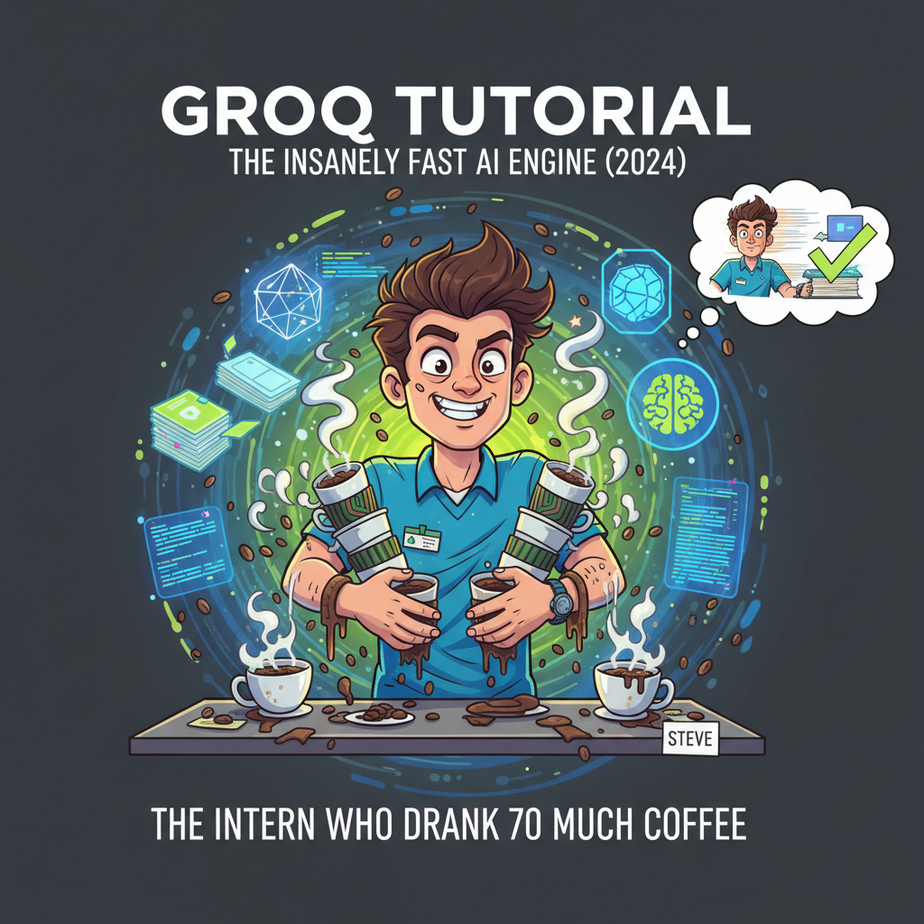
The Intern Who Drank Too Much Coffee
Picture this. You hire a new intern. Let’s call him Steve. Steve is brilliant. Ask him to summarize a 100-page report, and he’ll give you a perfect three-bullet summary. Ask him to write marketing copy, and he’ll churn out gold. There’s just one problem.
Steve is… slow. Painfully slow. You ask him a question, he stares at the wall for thirty seconds, his eyes glazing over, before finally giving you that brilliant answer. It’s like watching a dial-up modem connect to the internet in 1998. The little “typing…” bubble in your brain just hangs there, mocking you.
Now imagine you gave Steve a mysterious energy drink. You ask him another question, and before you can even finish the sentence, he’s already handed you a printed, laminated, and coffee-stain-free report with the answer. He’s not just fast; he’s faster than you can think. He’s operating at the speed of thought.
That’s Groq. It’s the energy drink for AI. And today, I’m going to show you why this insane speed isn’t just a party trick—it’s the key to unlocking a new class of business automation that was impossible just a year ago.
Why This Matters
In business, speed is money. A customer waiting 8 seconds for your chatbot to respond is a customer who just closed the tab. A sales agent waiting for their AI assistant to generate a rebuttal is a sales agent who just lost a deal. Latency kills user experience and murders productivity.
We’re not talking about making things 10% faster. We’re talking about workflows that go from “go get a coffee while this runs” to “it’s done before you can blink.” This isn’t an upgrade; it’s a paradigm shift.
This workflow replaces:
- Slow, frustrating customer service bots.
- Laggy internal tools that employees hate using.
- Batch processing jobs that run overnight.
- Any AI-powered interaction that feels remotely clunky.
By the end of this lesson, you’ll be able to build AI tools that feel like magic. Let’s get to it.
What This Tool / Workflow Actually Is
Let’s be brutally clear. Groq is NOT a new AI model. It’s not a competitor to GPT-4, Claude, or Llama.
Groq is a company that designed a completely new kind of computer chip called an LPU, or Language Processing Unit. It’s a piece of hardware specifically engineered to do one thing: run existing, open-source AI models (like Llama 3 or Mixtral) at absolutely ludicrous speeds.
Think of it like this: The AI model (Llama 3) is the car. A regular server with a GPU is a standard highway. Groq’s LPU is a private, perfectly paved Formula 1 racetrack with no speed limits. Same car, wildly different performance.
What it does: It takes a request, sends it to a popular language model, and gets the response back faster than almost any other service on the planet.
What it does NOT do: It doesn’t create its own models. The quality of the output is determined by the model you choose to run (e.g., Llama 3 70B), not by Groq itself.
Prerequisites
This is where people get nervous. Don’t be. If you can order a pizza online, you can do this.
- A Groq Account: Go to GroqCloud. Sign up for a free account. It takes 30 seconds.
- Your API Key: Once you’re in, click on “API Keys” in the left menu, create a new key, and copy it somewhere safe. This is your secret password to the fast lane.
- A place to write 10 lines of code: We’ll use Google Colab. It’s a free tool from Google that lets you run code in your browser. No installation, no setup, no fuss.
That’s it. No credit card, no server setup, no downloading a 20GB piece of software. I’m serious.
Step-by-Step Tutorial
We’re going to build a tiny Python script that talks to Groq. This will be our foundation for everything else.
Step 1: Open Google Colab and Install the Groq Library
Go to colab.research.google.com and click “New notebook”.
In the first cell, type this command and press the little play button (or Shift+Enter) to run it. This installs the official Groq software on our temporary cloud computer.
!pip install groqStep 2: Import Libraries and Set Up Your API Key
In the next cell, we’ll write the actual code. First, we need to import the libraries and tell the script about our secret API key.
IMPORTANT: For security, Colab has a neat feature to store secrets. Click the little key icon on the left sidebar, click “Add a new secret,” name it GROQ_API_KEY, and paste your key in the value field. Make sure the “Notebook access” toggle is on.
import os
from groq import Groq
from google.colab import userdata

# Get the API key from Colab's secret manager
api_key = userdata.get('GROQ_API_KEY')

# Initialize the Groq client
client = Groq(
    api_key=api_key,
)
print("Groq client is ready!")
Run this cell. If it prints “Groq client is ready!”, you’ve successfully connected. You just knocked on the door and Groq let you in.
Step 3: Make Your First API Call
Now for the fun part. Let’s ask it a question. This code defines a conversation and sends it to the Llama3 8B model running on Groq’s hardware.
chat_completion = client.chat.completions.create(
    messages=[
        {
            "role": "system",
            "content": "You are a helpful assistant."
        },
        {
            "role": "user",
            "content": "Explain the importance of low-latency AI in one sentence.",
        }
    ],
    model="llama3-8b-8192",
)

# Print the response
print(chat_completion.choices[0].message.content)
Run this cell. Notice how fast it comes back? It should be almost instant. That’s the magic. You just experienced the difference between a normal highway and the F1 racetrack.
Complete Automation Example
Okay, asking one question is cool, but let’s solve a real business problem. Imagine you run an e-commerce store and you just got 10 new product reviews. You need to instantly sort them into “Positive,” “Negative,” or “Neutral” so your support team can prioritize the angry customers.
Here’s the full, copy-paste-ready workflow.
# This assumes you've already run the setup code from Step 2

# 1. Our list of incoming customer reviews
reviews = [
    "I absolutely love this product! The quality is amazing and it arrived in two days. Will buy again!",
    "The item broke after one week of use. Very disappointed with the build quality. Requesting a refund.",
    "It's an okay product. Does what it says on the box, but nothing special. Shipping was average.",
    "Worst customer service I have ever experienced. My package is a month late and no one will respond to my emails.",
    "Five stars! This thing changed my life. I can't believe I lived without it for so long. Highly recommend."
]

# 2. A function to classify one review using Groq
def classify_sentiment(review_text):
    completion = client.chat.completions.create(
        model="llama3-8b-8192",
        messages=[
            {
                "role": "system",
                "content": "You are a sentiment analysis expert. Your only job is to classify the following text. Respond with ONLY one word: Positive, Negative, or Neutral."
            },
            {
                "role": "user",
                "content": review_text
            }
        ],
        temperature=0.0, # We want deterministic, consistent output
        max_tokens=5,    # We only need one word
        top_p=1,
        stream=False,
    )
    return completion.choices[0].message.content

# 3. Loop through and classify all reviews
print("Starting sentiment analysis...")
for review in reviews:
    sentiment = classify_sentiment(review)
    print(f'Review: "{review[:50]}..." ---> Sentiment: {sentiment}')

print("\
Analysis complete!")
Run that code. It will rip through all five reviews in a fraction of a second. Imagine if that list had 5,000 reviews. A traditional system might take minutes or hours. Groq handles it in seconds. Now you can automatically tag these reviews in your database, send the negative ones to a Slack channel for the support team, and route the positive ones to your marketing team for testimonials.
Real Business Use Cases (MINIMUM 5)
This isn’t just for sorting reviews. The core concept—instant, high-quality language processing—can be applied everywhere.
- Business Type: E-commerce Platform
Problem: Customers get frustrated searching for products with vague terms. Standard search is keyword-based and dumb.
Solution: Build a “semantic search” bar. A user types “a dress for a summer wedding that’s not too formal,” and Groq instantly converts that natural language query into specific product tags and filters (Color: Light, Style: Sundress, Occasion: Wedding), showing perfect results instantly. - Business Type: SaaS Helpdesk
Problem: A customer is writing a support ticket. The system only suggests relevant help articles *after* they submit the ticket.
Solution: Analyze the ticket text *as they type*. With every new sentence, Groq reads the draft and suggests relevant help articles in a sidebar in real-time, potentially solving their problem before they even hit “submit.” - Business Type: Sales Agency
Problem: Sales reps need to quickly understand a new lead. They spend 10 minutes manually researching the lead’s company website.
Solution: An automation that, upon receiving a new lead, scrapes their website’s ‘About Us’ page and uses Groq to generate a perfect one-sentence summary of the company’s mission and value proposition. This summary is added to the CRM notes within 3 seconds of the lead entering the system. - Business Type: Podcast Production Agency
Problem: Creating transcripts and summaries is slow and expensive.
Solution: Feed the raw audio transcript (from a tool like Whisper) into Groq with a prompt to generate a title, a short summary, 5 key takeaways, and a list of all the guests mentioned. The entire process for a 1-hour podcast takes less than a minute. - Business Type: Software Development Firm
Problem: Junior developers spend a lot of time trying to understand complex blocks of legacy code.
Solution: An internal tool where a developer can paste any function or code snippet and Groq instantly returns a line-by-line explanation of what it does in plain English. The speed means it can be integrated directly into their code editor without breaking their flow.
Common Mistakes & Gotchas
- Confusing the Engine with the Car: A beginner will say, “Groq isn’t very good at creative writing.” That’s wrong. You mean *Llama 3 8B* isn’t as creative as GPT-4o. Groq is just the engine running it. The output quality depends entirely on the model you choose from their available list.
- Ignoring Rate Limits: Just because it’s fast doesn’t mean it’s infinite. If you try to send 1,000 requests in one second from a free account, you’re going to get rate limited. For production systems, you need to implement sensible pacing or use their paid tiers.
- Not Setting `max_tokens`: For simple classification tasks like our sentiment analyzer, you should set `max_tokens` to a low number (like 5 or 10). This prevents the model from getting chatty and giving you a full sentence when you just want one word, and it makes the response even faster.
- Using it for the Wrong Task: If you need to analyze a 100,000-token document, Groq’s speed won’t help you if the model you’re using (e.g., Llama 3 8B) only has an 8,192-token context window. The underlying model’s limitations still apply.
How This Fits Into a Bigger Automation System
Think of Groq as the fast-twitch muscle fibers of your AI brain. It’s the component you use when a response is needed *right now*.
- Voice Agents: This is the killer application. To build a voicebot that doesn’t have an awkward, robotic pause after you speak, you need sub-second response times. You can pipe the user’s speech-to-text into Groq, get a response, and feed it into a text-to-speech engine before the user even notices the silence. It’s the key to making AI conversations feel natural.
- CRMs (HubSpot, Salesforce): You can connect Groq to your CRM via a webhook. When a new deal moves to the “Negotiation” stage, it could trigger a Groq workflow that instantly drafts three different follow-up email templates (a gentle nudge, a value prop reminder, a last-chance offer) and saves them as drafts for the sales rep.
- Multi-Agent Workflows: In a system where a “router” agent decides which specialized agent should handle a task, using Groq for the routing logic means there’s virtually no delay in the handoff. This makes complex, multi-step automations run dramatically faster.
- RAG Systems: In a Retrieval-Augmented Generation system, after you’ve found the relevant documents from your database, you still need an LLM to synthesize the final answer. Using Groq for that last step makes your Q&A bot feel snappy and responsive.
What to Learn Next
You’ve just given your AI intern a superpower. You’ve learned how to get instant answers from a powerful language model. You’ve moved beyond the slow, clunky chatbots of yesterday and into the new world of real-time AI.
But what good is a fast brain without a mouth to speak?
In the next lesson in our AI Automation course, we’re going to take this Groq engine and plug it directly into a telephone number. We are going to build a simple AI voice agent that can answer customer calls, answer basic questions, and take messages. The speed we mastered today is the non-negotiable foundation for making that work.
Get ready. The robots are about to start answering the phone.
“,
“seo_tags”: “groq, groq api, ai automation, python tutorial, fast llm, language model, lpu, real-time ai, business automation”,
“suggested_category”: “AI Automation Courses