
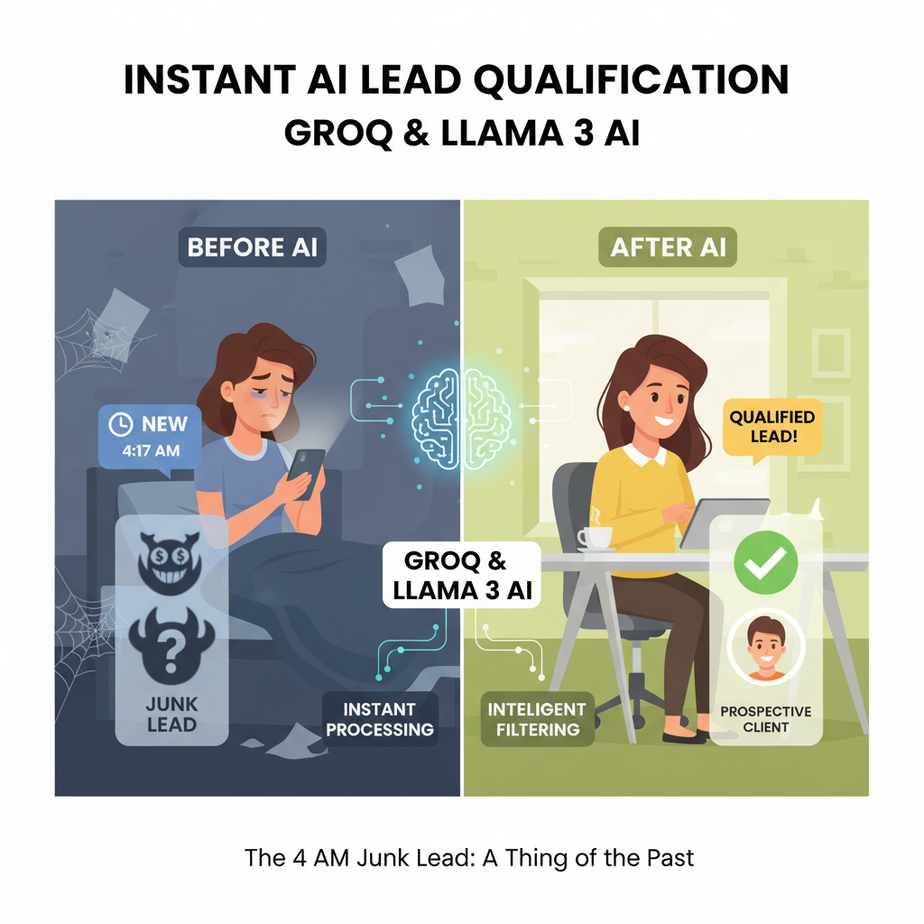
The 4 AM Junk Lead
It’s 4:17 AM. Sarah, your best salesperson, is jolted awake by a notification on her phone. It’s a “New Lead!” email from the company website. Her heart skips a beat. Maybe this is the one, the whale that closes the quarter.
She fumbles for her phone, squints at the screen, and reads the submission:
Name: Mickey Mouse
Company: The Disney Channel
Message: “i want to buy one business please. my budget is three dollars.”
Sarah sighs, rolls over, and tries to salvage what’s left of her night. The next morning, she spends the first 90 minutes of her day sifting through 20 more submissions just like it. By the time she finds a real, legitimate lead, it’s been sitting in the inbox for seven hours. The prospect has already booked a demo with your competitor.
This isn’t just a story. This is the reality for thousands of businesses. Your most expensive, highly-trained people are doing the work of a minimum-wage intern: separating the signal from the noise.
Why This Matters
Speed is everything in sales. The Harvard Business Review found that companies who respond to a lead within an hour are nearly seven times more likely to have a meaningful conversation with a decision-maker. Seven. Times.
When your sales team is manually filtering junk, you’re not just wasting their time; you’re burning money and handing deals to your competition. This automation isn’t about being fancy. It’s about:
- Instant Sorting: Know if a lead is hot or not in less than a second. Literally.
- Protecting Focus: Let your sales team do what they do best: sell. Not read spam from cartoon mice.
- Increasing Revenue: Engage real, qualified leads while they are still hot, massively increasing your chance of closing the deal.
This workflow replaces the “Manual Lead Sifter.” It’s a tireless, brilliant robot intern who works 24/7, costs fractions of a penny per lead, and never complains.
What This Tool / Workflow Actually Is
The Three Key Ingredients
1. Groq (The Engine): Imagine you have a Formula 1 race car driver (the AI model). Groq is the ridiculously overpowered engine and chassis you put them in. It doesn’t change *how* the driver thinks, but it makes them execute those thoughts at impossible speeds. Groq runs open-source language models faster than anyone else on the planet. For our purposes, it means our lead qualification is instantaneous, not sluggish.
2. Llama 3 (The Brain): This is our driver. Llama 3 is a powerful Large Language Model (LLM) from Meta. It’s incredibly good at reasoning, following complex instructions, and understanding the nuances of human language. We’ll give it a clear set of rules for what makes a good lead, and it will act as our judge.
3. Webhook (The Doorbell): A webhook is just a simple URL that one system can call to notify another system that something happened. When someone fills out your contact form, your website software will “ring the doorbell” of our automation, handing over the new lead’s data. It’s the universal glue of the internet.
What it does vs. What it doesn’t do
This system instantly takes data from a new lead, sends it to a super-fast AI for analysis against your specific business rules, and returns a clean, structured JSON output telling you if the lead is qualified. That’s it.
It does NOT book meetings, write emails, or close deals. It is a filter. A bouncer at the door of your sales pipeline, ensuring only the VIPs get in.
Prerequisites
I’m serious about making this accessible. You don’t need to be a developer, but you do need to be able to click and copy-paste.
- A GroqCloud Account: Go to GroqCloud and sign up. It’s free to get started and their free tier is extremely generous. You’ll need to create an API key. Just click “API Keys” and “Create API Key.” Copy it and save it somewhere safe.
- An Automation Tool: You need something to receive the webhook and make the API call. Tools like Make.com, Zapier, or Pipedream are perfect. For this example, the logic will work in any of them. We’re focusing on the *data* and the *API call*, not the specific tool.
- A Source of Leads: A contact form on your website (from Webflow, WordPress, etc.) that can send a webhook. Most modern form builders can do this.
That’s it. If you can get an API key and you know where your leads come from, you can do this.
Step-by-Step Tutorial
Step 1: Define Your “Golden Lead” Criteria
Before you write a single line of code or build any automation, you must define what a good lead is *for your business*. Be specific. For our example, we’ll run a B2B agency.
Our criteria for a qualified lead are:
- Must be a business inquiry (not a student, job seeker, etc.).
- Company must have more than 20 employees.
- Must provide a corporate email address (no @gmail.com or @yahoo.com).
- The message must describe a specific business problem.
Step 2: Craft Your System Prompt
This is the instruction manual for the AI. We tell it who it is, what its job is, what the rules are, and exactly how to respond. The key is to demand JSON output, which makes the response predictable and easy for other parts of our automation to use.
You are an expert Lead Qualification Specialist for a B2B marketing agency. Your job is to analyze new leads from a website contact form and determine if they are qualified based on a strict set of rules.

Respond ONLY with a valid JSON object. Do not include any other text, greetings, or explanations. The JSON object must have the following structure:
{
  "is_qualified": boolean,
  "reason": "string",
  "score": integer (0-100),
  "email_type": "corporate" or "free"
}

Here are the qualification rules:
1.  **is_qualified must be true** ONLY IF ALL of the following conditions are met:
    - The inquiry is clearly for business services.
    - The provided email is a corporate email (not a free one like gmail.com, yahoo.com, etc.).
    - The message indicates a specific business need or project.
    - The form mentions a company name.
2.  **reason:** Briefly explain your decision in one sentence.
3.  **score:** Assign a score from 0-100 based on how closely the lead matches the ideal customer profile. A perfect match is 100. A clear spam or unqualified lead is 0.
4.  **email_type:** Classify the email domain as 'corporate' or 'free'.
Step 3: Prepare the API Call
This is the message we’ll send to Groq. It contains our system prompt and the user data. Most automation tools have a module called “Make an API Call” or “HTTP Request.” You’ll configure it like this.
The API endpoint for Groq is: https://api.groq.com/openai/v1/chat/completions
You need to send your API key in the headers. It looks like this:
Authorization: Bearer YOUR_GROQ_API_KEY
The body of the request is a JSON payload. This is where we combine our prompt with the lead’s data.
Complete Automation Example
Let’s walk through one complete lead qualification, from form submission to AI decision.
1. The Lead Arrives via Webhook
A potential client fills out your form. Your automation tool receives this data:
{
  "name": "Maria Garcia",
  "email": "maria.g@pixelcorp.io",
  "company": "PixelCorp",
  "message": "Hi, we're looking to redesign our e-commerce platform in Q3. We need a team that can handle a full brand refresh and a new Webflow site. Our budget is flexible. Let's talk."
}
2. Construct the Groq API Request Body
Your automation takes the data above and formats it into the final request payload. Notice how we put our System Prompt in the first message, and the user’s data in the second.
{
  "model": "llama3-8b-8192",
  "temperature": 0,
  "response_format": {
    "type": "json_object"
  },
  "messages": [
    {
      "role": "system",
      "content": "You are an expert Lead Qualification Specialist... (Your full system prompt from Step 2 goes here)"
    },
    {
      "role": "user",
      "content": "New lead data:\
Name: Maria Garcia\
Email: maria.g@pixelcorp.io\
Company: PixelCorp\
Message: Hi, we're looking to redesign our e-commerce platform in Q3. We need a team that can handle a full brand refresh and a new Webflow site. Our budget is flexible. Let's talk."
    }
  ]
}
Critical Note: The "response_format": {"type": "json_object"} part is magic. It forces Llama 3 on Groq to return *only* valid JSON. This is incredibly reliable.
3. Receive the AI’s Verdict (in Milliseconds)
You send the request. Before you can blink, Groq sends back the response:
{
  "is_qualified": true,
  "reason": "Lead is a business with a specific, well-defined project and a corporate email.",
  "score": 95,
  "email_type": "corporate"
}
4. Route the Lead
Now your automation has structured data. It can easily use an IF/THEN condition:
- IF
is_qualifiedistrueANDscoreis > 80… - THEN: Send a high-priority message to the #sales Slack channel and create a new Deal in your CRM tagged as “Hot Lead”.
- ELSE: Add the lead to a generic newsletter sequence and do not notify the sales team.
Sarah now only gets alerts for leads like Maria’s. Mickey Mouse is silently added to a mailing list, never wasting a second of human time.
Real Business Use Cases
This exact pattern can be used almost anywhere:
- SaaS Company: Filter free-trial signups. Use the AI to check for corporate emails and company names to separate potential enterprise clients from students using a free account for a school project.
- Real Estate Agency: Qualify website inquiries. The AI can determine if the person is a buyer or renter, their desired location, and their urgency from the message, then route them to the correct agent.
- Recruiting Firm: Screen initial job applications. The AI can scan a pasted resume or message for keywords (e.g., “Python,” “5+ years experience”) and score the applicant’s fit for the role before a human ever sees it.
- E-commerce (Wholesale): Vet applications for wholesale accounts. The AI can check if the applicant has provided a valid business registration number, a company website, and meets other criteria mentioned in their application.
- High-Ticket Coaching: Triage “Book a Call” submissions. The AI can analyze the applicant’s stated problems and goals to ensure they are a fit for the program, preventing wasted sales calls with unqualified candidates.
Common Mistakes & Gotchas
- A Vague System Prompt: If your rules are fuzzy, the AI’s answers will be fuzzy. Be brutally specific in your prompt. Instead of “a good lead,” write “a lead from a company with over 50 employees in the manufacturing sector.”
- Forgetting to Force JSON: If you don’t use the
response_formatparameter, the AI might give you a conversational answer like “Sure, here is the JSON for that lead!” which will break your automation. Always force JSON mode. - Not Handling Junk Inputs: Someone might write gibberish in the message field. Your prompt should be robust enough to handle this and score it as 0. Test with bad data.
- Setting and Forgetting: Your definition of a good lead might change. Review the AI’s decisions once a week for the first month to fine-tune your prompt. Maybe you decide company size doesn’t matter, but budget does. Adjust.
How This Fits Into a Bigger Automation System
Think of this lead qualifier as the receptionist in a massive, automated office building. It’s the first touchpoint, but its only job is to direct traffic.
The structured JSON output is the key. It’s a universal message that other, more specialized bots can understand.
- CRM Integration: The JSON directly maps to fields in your CRM (HubSpot, Salesforce). A qualified lead is created with the score and reason already filled out.
- Email Automation: An
is_qualified: trueoutput could trigger a personalized email sequence. You can even use the `reason` field in the email: “I saw you were interested in a brand refresh…” - Research Agents: This qualifier agent can hand off the lead (e.g., the company name `PixelCorp`) to a second AI agent whose only job is to find the company’s LinkedIn page, recent news, and key decision-makers.
- RAG Systems: For very complex qualification, you could feed the AI your company’s internal documentation on ideal customer profiles, and it could use that knowledge to make even more accurate decisions.
This isn’t a standalone trick. It’s the foundational block for an entire autonomous sales development pipeline.
What to Learn Next
We’ve built an incredible bouncer for our sales pipeline. It’s fast, smart, and cheap. But what happens after a VIP gets past the velvet rope?
Right now, our automation just sends a Slack message. That’s cool, but we can do better. We can give our salesperson a full, pre-researched dossier on the lead before they even have to type a single word.
In the next lesson in this course, we’re going to build the **’AI Research Agent.’** We’ll take the clean output from our qualifier and trigger a second workflow that automatically scours the web for the lead’s company information, identifies their industry, and finds their LinkedIn profile. We’ll then use that fresh data to write a hyper-personalized draft email, ready for the sales team to review and send.
You’ve learned to filter. Now, get ready to engage.
“,
“seo_tags”: “AI automation, lead qualification, Groq, Llama 3, webhooks, sales automation, business process automation, no-code AI”,
“suggested_category”: “AI Automation Courses