
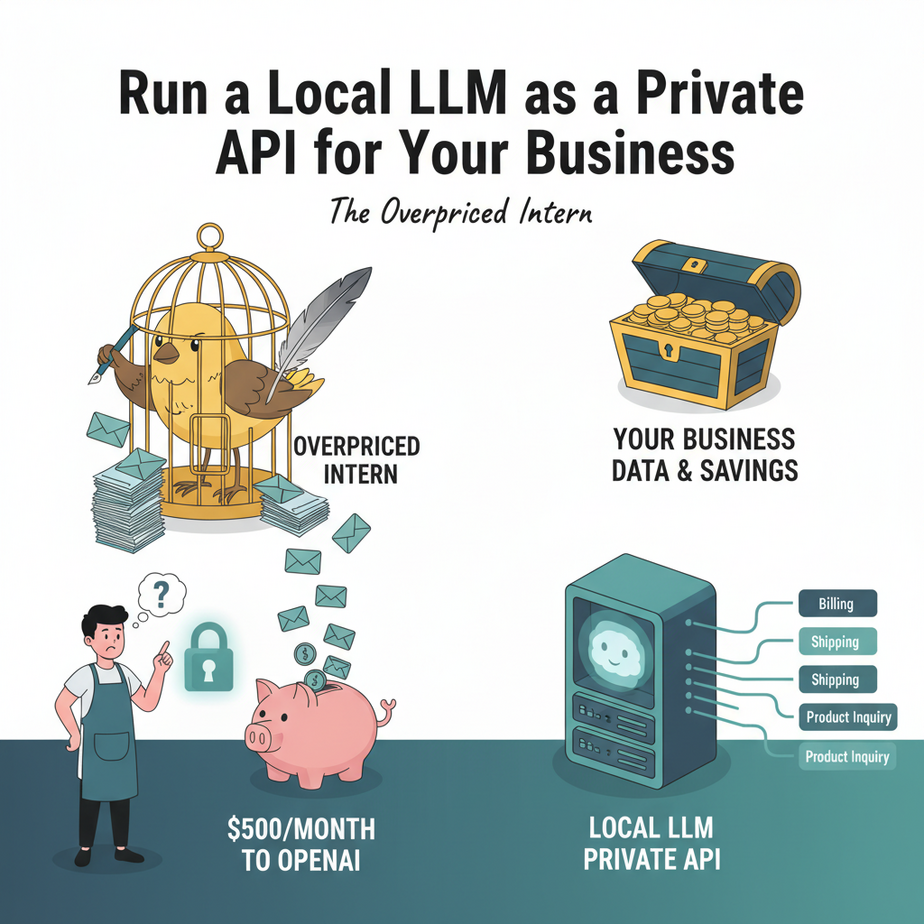
The Overpriced Intern
I once had a client, a small e-commerce shop, who was paying OpenAI about $500 a month for a single, mind-numbingly simple task: categorizing customer support emails. That’s it. “Is this about a return?” “Is this a shipping question?” “Is this a sales lead?”
They had built a clever little automation, but they were essentially paying a brilliant, creative, world-class chef (GPT-4) to make peanut butter and jelly sandwiches. All day. Every day. It was expensive, slow, and frankly, a little insulting to the chef.
Then they had a security audit. Their new enterprise customer, a paranoid corporation that probably wraps its servers in tinfoil, asked a simple question: “Where does our customer data go?” When my client answered “OpenAI’s servers,” the deal almost fell apart.
They called me in a panic. “We need the AI, but it has to be private. And cheaper. Can you do that?”
I grinned. “Can I do that? Friends, we’re not just going to do that. We’re going to build our own private, lightning-fast, and basically free AI intern that lives right on your own computer.”
Why This Matters
Putting an AI model on your own machine and turning it into an API isn’t just a cool party trick. It’s a strategic business move. This is about building assets, not renting utilities.
- Cost Control: Once you have the hardware, the cost per task is effectively zero. No more watching the token meter spin. Run a million classifications. It costs you a little electricity.
- Total Privacy: The data never, ever leaves your computer. Process legal documents, medical records, secret family recipes, customer PII… whatever. It’s your business. Literally.
- Blazing Speed: There’s no internet lag. For many small-to-medium tasks, a local model running on decent hardware is faster than a round-trip to a massive cloud-based model.
- Ultimate Control: You pick the model. You control the access. There are no rate limits unless you impose them. No one can change the API or deprecate a model you rely on. You are the captain now.
This workflow replaces the expensive, overkill API calls for 90% of the boring, repetitive text tasks that plague every business. It’s the digital equivalent of hiring a dedicated, trustworthy intern who works 24/7 for free.
What This Tool / Workflow Actually Is
We’re going to use a wonderful piece of software called Ollama.
Think of Ollama as an app store for open-source AI models. It lets you download, manage, and run powerful models (like Meta’s Llama 3, Mistral, and others) with a single command.
But here’s the magic: once a model is running, Ollama automatically exposes it as a standard, OpenAI-compatible API on your local machine.
This means any script, tool, or application that is built to talk to OpenAI can be pointed at your local model instead, often with only a one-line change. It’s like unplugging your factory from the city’s power grid and plugging it into your own private generator. Same power, different source.
What it is NOT:
This is not a GPT-4 replacement for writing your next novel. The open-source models we’ll use are smaller and more specialized. They are incredibly good at structured tasks like classification, summarization, data extraction, and reformatting. They are less good at highly creative, nuanced, or deeply complex reasoning. Use the right tool for the job.
Prerequisites
I promised this was for everyone, and it is. But let’s be brutally honest about what you’ll need.
- A Decent Computer: A reasonably modern machine will work. A Mac with an Apple Silicon chip (M1/M2/M3) is fantastic. For PC users, a dedicated NVIDIA graphics card (GPU) with at least 6-8 GB of VRAM is highly recommended. It will work on a CPU, but it will be slow. Don’t try this on your 10-year-old laptop unless you enjoy watching paint dry.
- Basic Terminal/Command Line Comfort: You don’t need to be a coder, but you need to be able to open a terminal (or PowerShell on Windows) and copy-paste a few commands. That’s it.
- A Tool to Make API Calls: I’ll provide a copy-paste Python script. If you know how to use tools like Postman or Insomnia, those work perfectly too.
That’s it. No credit card, no sign-up, no cloud account needed.
Step-by-Step Tutorial
Let’s build your private AI intern.
Step 1: Install Ollama
This is the easy part. Go to ollama.com and download the installer for your operating system (macOS or Windows). For Linux, they provide a simple command to run in your terminal.
Run the installer. It will set up Ollama as a background service. You won’t see much happen, and that’s the point. It’s now waiting for your commands.
Step 2: Download Your First AI Model
Now, we need to give our intern a brain. We’ll download a model. We’re going to start with Meta’s excellent `llama3:8b` model. It’s powerful, fast, and a great all-rounder. The `8b` stands for 8 billion parameters – a measure of its size.
Open your terminal (Terminal on Mac, PowerShell or CMD on Windows) and run this command:
ollama pull llama3:8bThis will start downloading the model file, which is about 4.7 GB. Go make a cup of coffee. This is a one-time download.
Step 3: Run the Model and Start the API Server
Once the download is complete, Ollama automatically starts a local server in the background. To confirm it’s working, you can “run” the model, which also lets you chat with it directly in your terminal.
In the same terminal, type:
ollama run llama3:8bYou should see a prompt like `>>> Send a message (/? for help)`. You can ask it a question to see if it’s alive. Type `/bye` to exit. The key takeaway is this: the API server is now running in the background. It’s listening for requests on its default address: `http://localhost:11434`.
Step 4: Make Your First API Call
This is where it gets real. We’re going to talk to our local AI using a standard programming interface. I’ll show you how with a simple Python script. Make sure you have Python installed. If you don’t, it’s a quick Google search away.
Create a file named `test_local_api.py` and paste this code into it:
import requests
import json

# The URL of your local Ollama API endpoint
url = "http://localhost:11434/api/chat"

# The payload for the API request
# We're asking the model to act as a helpful assistant
payload = {
    "model": "llama3:8b",
    "messages": [
        {
            "role": "user",
            "content": "Why is the sky blue?"
        }
    ],
    "stream": False  # We want the full response at once
}

# Make the POST request
try:
    response = requests.post(url, json=payload)
    response.raise_for_status() # Raise an exception for bad status codes

    # Parse the JSON response
    response_data = response.json()

    # Extract and print the assistant's message
    assistant_message = response_data['message']['content']
    print("AI Assistant says:")
    print(assistant_message)

except requests.exceptions.RequestException as e:
    print(f"Error connecting to Ollama API: {e}")
    print("Is Ollama running? Try 'ollama run llama3:8b' in your terminal.")
Save the file, then run it from your terminal:
python test_local_api.pyIf all went well, you’ll see a perfectly reasonable explanation of why the sky is blue, generated entirely on your own machine. You just built a private, functioning AI API. High-five yourself.
Complete Automation Example: The Email Classifier
Let’s solve my client’s problem. We’ll build a simple script that takes an email body and asks our local `llama3` model to classify it. This is the core of a real-world automation.
Create a new file called `email_classifier.py` and paste this in:
import requests
import json

# The email we need to classify
incoming_email_body = """
Hi there,

I ordered a blue widget (order #12345) last week and it hasn't arrived yet. The tracking number doesn't seem to be working. Can you please provide an update?

Thanks,
Jane Doe
"""

# A clear, structured prompt for the AI
prompt = f"""
You are an expert email classification system. Read the following email and classify it into one of these EXACT categories: [Sales Inquiry, Technical Support, Shipping Question, General Feedback].

Return ONLY the category name and nothing else.

Email to classify:
---
{incoming_email_body}
---
Category:"
"""

# The Ollama API endpoint and payload
url = "http://localhost:11434/api/generate" # Note: Using the /api/generate endpoint for simpler completion

payload = {
    "model": "llama3:8b",
    "prompt": prompt,
    "stream": False
}

# Make the API call
try:
    response = requests.post(url, json=payload)
    response.raise_for_status()

    response_data = response.json()
    category = response_data['response'].strip()

    print(f"Email successfully classified as: {category}")

except requests.exceptions.RequestException as e:
    print(f"An error occurred: {e}")
Run it from your terminal:
python email_classifier.pyThe output should be:
Email successfully classified as: Shipping QuestionLook at that. A perfect classification. Private, fast, and free. Now imagine this script connected to your email server, running on every new message. You just built an automated triage system.
Real Business Use Cases
This exact pattern can be used everywhere:
- Real Estate Agency: Ingest property descriptions written by agents and have the local LLM automatically extract key features (bedrooms, bathrooms, square footage, amenities like ‘pool’ or ‘fireplace’) into clean, structured JSON data for your website.
- Healthcare Clinic: Use it to de-identify patient notes by finding and replacing names, addresses, and other Personally Identifiable Information (PII) before the notes are used for research. The data never leaves the clinic’s secure network.
- Marketing Agency: Feed it a list of your client’s blog post titles and have it generate 5-10 engaging social media post variations for each title, ready for scheduling.
- Software Company: Automatically convert user feedback from a support forum into a standardized bug report format. The LLM can extract the user’s description, expected behavior, and actual behavior, then format it for a Jira or GitHub ticket.
- Financial Advisor: Summarize daily market news from trusted RSS feeds into a concise, bulleted internal brief for the advisory team each morning. This happens locally, ensuring no data on your firm’s interests is leaked.
Common Mistakes & Gotchas
- Using a model that’s too big: You might be tempted to pull the 70-billion-parameter model. Don’t. Your laptop will turn into a space heater and performance will be terrible. Start with an 8B model like `llama3:8b` or `mistral`. They are more than enough for most structured tasks.
- Forgetting the server is running: Ollama is a background process. If your computer feels sluggish, it might be because a model is loaded into memory. You can see what’s running with `ollama list`. You can fully stop the Ollama application from your system’s activity monitor if needed.
- Bad Prompting: Your local model is not a mind-reader. If you want a specific output (like a single category name), you must be explicit in your prompt. The example above shows how to tell it *exactly* what you want.
- Expecting GPT-4 creativity: These models are workhorses, not artists. They will follow instructions extremely well but might not generate the most poetic or creative prose. Use them for automation, not writing your wedding vows.
How This Fits Into a Bigger Automation System
Your new local API isn’t an island. It’s a powerful new component you can plug into a much larger automation factory.
- Email Automation: We just built the first step. The next step is to take the category (‘Shipping Question’) and route it to the right person, or even use another LLM call to draft a polite holding reply.
- CRM Integration: When a new lead comes in, you can send their initial email to your local LLM to extract their company name, job title, and the core reason for their inquiry. This data can then be used to automatically populate fields in your CRM.
- Multi-Agent Systems: This is my favorite. You can build a ‘router’ agent. For simple, private tasks (like classification), it sends the job to your free, local Ollama API. For complex, creative tasks (like writing a long blog post), it sends the job to an expensive, powerful API like GPT-4. This is how you build smart, cost-effective systems.
- RAG (Retrieval-Augmented Generation): This local model can be the ‘brain’ for a system that reads your company’s private documents. You can build a completely offline chatbot that answers questions about your internal knowledge base.
What to Learn Next
Congratulations. You’ve taken a massive step. You’ve moved from being a consumer of AI to a builder of your own AI infrastructure. You now have a private, obedient, and free AI brain at your command.
But right now, that brain only knows what it learned from the public internet. It doesn’t know anything about *your* business, *your* data, or *your* customers.
In the next lesson in this course, we’re going to fix that. We are going to give your new AI brain a library card to your company’s private knowledge base. We’re going to build a simple, local RAG system, so you can ask it questions like, “What was our revenue in Q3 last year?” or “What is our standard procedure for handling returns?” and get answers based on your own documents.
Your intern is about to get a PhD in Your Business. Stay tuned.
“,
“seo_tags”: “Local LLM, Ollama, AI Automation, Business API, Private AI, Llama 3, Self-Hosted AI”,
“suggested_category”: “AI Automation Courses