
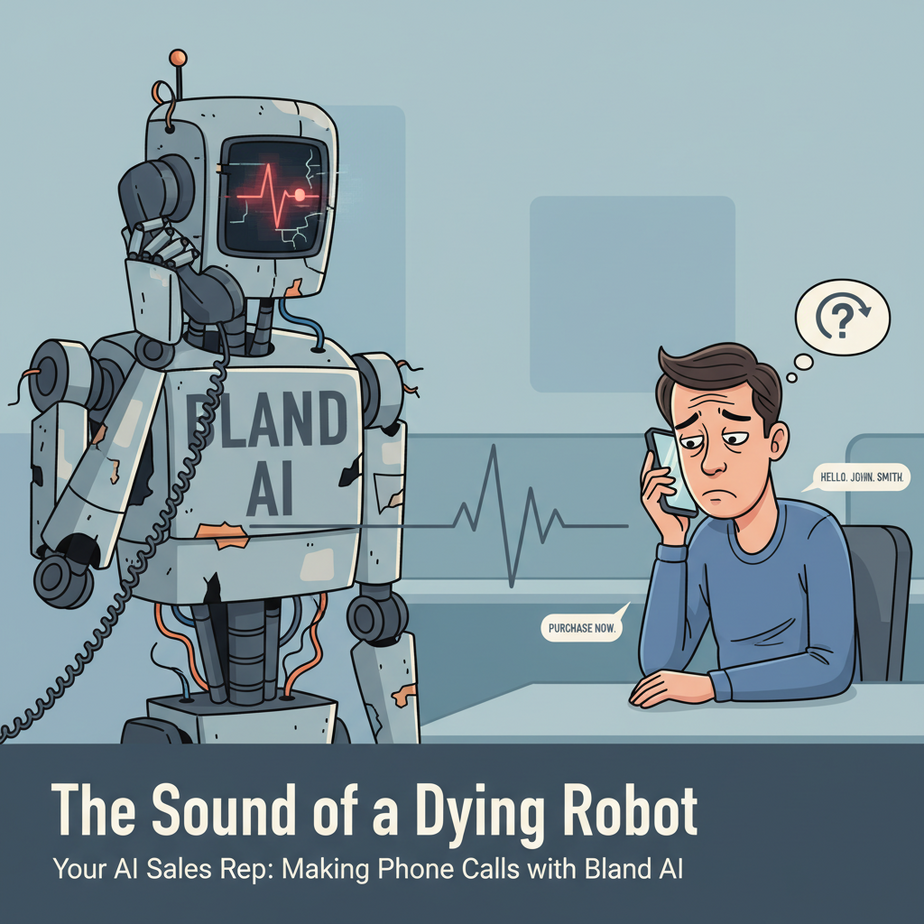
The Sound of a Dying Robot
We’ve all been there. Your phone rings. It’s an unknown number. Against your better judgment, you answer.
“HELLO. JOHN. SMITH,” a voice with the emotional range of a toaster oven declares. “I. AM. CALLING. ABOUT. YOUR. CAR’S. EXTENDED. WARRANTY.”
You hang up before it can finish the sentence. That’s a robocall. It’s dumb, it’s annoying, and it’s completely useless for any real business trying to build a relationship. For years, this was the best we could do for automated calling.
Now, imagine a different call. The voice is natural, with human-like pauses and inflections. It asks you a question, you interrupt with a question of your own, and it responds instantly and contextually without missing a beat. It sounds… well, it sounds human.
That’s not science fiction anymore. That’s an AI Voice Agent. Today, we’re building one. We’re taking the AI brain we’ve been nurturing and giving it a voice, and a phone.
Why This Matters
This automation is a game-changer for any business that relies on the phone.
- Scale: A human Sales Development Rep (SDR) can make maybe 50-100 calls a day. An AI agent can make thousands. It never gets tired, never needs a coffee break, and never has a bad day.
- Cost: The cost of hiring, training, and paying an SDR is significant. An AI agent costs pennies per minute. This lets you qualify leads at a fraction of the price.
- Consistency: Your AI agent will deliver the perfect script, every single time. It never forgets to ask a key qualifying question or misrepresents your product.
- Replaces: This replaces the most repetitive, soul-crushing part of sales: top-of-funnel prospecting and lead qualification. It frees up your human sales team to do what they do best—build relationships and close deals with *warm* leads.
You’re not building a spam bot. You’re building a tireless, perfectly-trained assistant that filters the noise so your team can focus on the signal.
What This Tool / Workflow Actually Is
We’re using a tool called Bland AI. Think of it as a specialized AI that’s been trained to do one thing exceptionally well: have a conversation over the phone. It’s a “Voice Agent as an API”.
What it does:
You give it a phone number to call, a voice to use, and a script (a prompt, really) telling it the goal of the conversation. Bland handles everything else: dialing the number, talking to the person, understanding their responses in real-time, handling interruptions, and even detecting when the person wants to be transferred to a human. After the call, it sends you a full transcript, a summary, and structured data.
What it does NOT do:
It’s not a general-purpose AI like ChatGPT. You can’t ask it to write a poem. It’s a purpose-built conversational machine. It has no long-term memory between calls unless you build a system around it. Each call is a fresh start.
Prerequisites
This is where we connect our AI to the real world, so a couple of new things are required.
- A Bland AI Account: Go to bland.ai and sign up. They give you some free credits to start, which is more than enough for this lesson. You’ll need to grab your API key from the dashboard.
- Python Installed: As always, this is our glue.
- New Python Libraries: We need the Bland library and a simple web server framework called Flask to receive the call results. Open your terminal and run:
pip install bland-ai flask - Ngrok (for local testing): This one is magic. Bland needs to send the call results to a public URL (a webhook). Since your laptop is not on the public internet, we use Ngrok to create a secure, temporary tunnel from the internet to your machine. Download it from ngrok.com.
Don’t be intimidated by Ngrok. It’s just one command and I’ll walk you through it. It’s like giving your laptop a temporary public mailing address.
Step-by-Step Tutorial
Let’s make your computer talk.
Step 1: Configure Your Environment
Create a new project folder. Inside, create a file called call_agent.py. It’s good practice to store your API key in an environment variable, but for simplicity in this lesson, we’ll just paste it into the script. Don’t ever commit API keys to public code repositories!
Step 2: Make Your First AI-Powered Phone Call
Put this code into your call_agent.py file. Replace the placeholder values with your real API key and a phone number you can answer (like your cell phone). Use the E.164 format for numbers (e.g., `+15551234567`).
import bland

# WARNING: Do not put your real API key in code you share publicly.
API_KEY = "YOUR_BLAND_AI_API_KEY"

# Your phone number in E.164 format
TARGET_PHONE_NUMBER = "+15551234567"

# This is the prompt. It's the AI's instruction manual for the call.
call_prompt = """
Your name is Alex, and you are calling from a local marketing agency.
Your goal is to see if the business is interested in a free marketing audit.
Be friendly and brief. Ask if they are the owner or manager, and if they have 30 seconds to talk about their current marketing.
"""

print("Starting the call...")

# Make the call
response = bland.call(
    phone_number=TARGET_PHONE_NUMBER,
    task=call_prompt,
    api_key=API_KEY,
    voice="nate" # 'nate' is a good, friendly default voice
)

print("Call placed successfully.")
print(f"Call ID: {response['call_id']}")
Save the file. Now run it from your terminal:
python call_agent.pyYour phone should ring. Answer it. Have a conversation with Alex. You’ll be stunned at how natural it feels. You just made an AI call!
Step 3: Receiving the Call Data with a Webhook
After the call, Bland has the transcript and summary, but how do we get it? It sends this data to a URL we provide—a webhook. We need to create a small web server to listen for this data.
Create a new file named webhook_server.py.
from flask import Flask, request, jsonify

# Create a Flask web server
app = Flask(__name__)

# This is the endpoint that Bland will send data to
@app.route('/webhook', methods=['POST'])
def handle_webhook():
    # Get the JSON data from the request
    data = request.json

    print("--- WEBHOOK RECEIVED ---")
    print(f"Call ID: {data.get('call_id')}")
    print(f"To: {data.get('to')}")
    print(f"Summary: {data.get('summary')}")
    print(f"Full Transcript: {data.get('transcript')}")
    print("------------------------")

    # Respond to Bland to let it know we received the data
    return jsonify({"status": "success"}), 200

# Run the server
if __name__ == '__main__':
    # Runs on localhost, port 5000
    app.run(port=5000)
Now, we need to expose this local server to the internet with Ngrok. Open a NEW terminal window (keep your current one), navigate to where you downloaded Ngrok, and run:
./ngrok http 5000You’ll see a screen with a public URL, something like https://random-string.ngrok-free.app. This is your magic tunnel! Copy that HTTPS URL.
Complete Automation Example: Qualifying a List of Sales Leads
Let’s put it all together. We’ll read leads from a CSV, call them, and log the results we get back from our webhook.
Step 1: Create a Leads File
Create a file named leads.csv:
name,phone
"Professor Ajay","+15551234567"
"Dr. Evelyn Reed","+15557654321"
Replace these with real numbers for testing (again, maybe just your own number twice).
Step 2: Create the Master Automation Script
Create a file named qualify_leads.py. This script will read the CSV and make the calls, telling Bland where to send the results.
import bland
import csv

API_KEY = "YOUR_BLAND_AI_API_KEY"

# IMPORTANT: Use your actual Ngrok HTTPS URL here!
WEBHOOK_URL = "https://random-string.ngrok-free.app/webhook"

# A more detailed prompt for qualification
prompt = """
Your name is Alex, a senior account specialist. Your goal is to qualify the lead.
Be conversational. First, confirm you're speaking with {name}.
Then, ask these three questions:
1. Are you currently using any software for project management?
2. How many people are on your team?
3. Would you be open to a 15-minute demo next week to see if we can help?

If they say yes to the demo, say 'Great! Our team will follow up by email to schedule.' and end the call.
"""

def run_qualification_calls():
    with open('leads.csv', 'r') as file:
        reader = csv.DictReader(file)
        for row in reader:
            name = row['name']
            phone_number = row['phone']

            # Personalize the prompt for each lead
            personalized_prompt = prompt.format(name=name)

            print(f"Calling {name} at {phone_number}...")

            bland.call(
                phone_number=phone_number,
                task=personalized_prompt,
                api_key=API_KEY,
                voice="nate",
                webhook=WEBHOOK_URL # Tell Bland where to send the results!
            )

if __name__ == '__main__':
    run_qualification_calls()
Step 3: Run the Full System
- In one terminal, start your webhook server:
python webhook_server.py - In a second terminal, start Ngrok:
./ngrok http 5000(and copy the URL) - Paste your Ngrok URL into
qualify_leads.py. - In a third terminal, run the main script:
python qualify_leads.py
Your phone will ring. As you complete the calls, look at the terminal running the `webhook_server.py`. You will see the structured data—summary, transcript, and all—printing to your console in real-time. You’ve just built an end-to-end outbound calling automation.
Real Business Use Cases
This pattern is incredibly versatile:
- Real Estate Agency: Call a list of homeowners in a specific zip code to ask if they’ve considered selling their property. If they say yes, transfer them to a live agent.
- SaaS Company: Call users who just signed up for a free trial to offer assistance and schedule a personalized demo, reducing user drop-off.
- Dental Office: Automate appointment reminders and confirmations. “Hi, this is a reminder for your appointment with Dr. Smith tomorrow at 10 AM. Can you still make it?”
- Event Management: Call a list of past attendees to announce a new conference and ask if they’d like a registration link sent to their email.
- Recruiting Firm: Perform initial screenings of job applicants. The AI can ask basic questions about experience and salary expectations before passing qualified candidates to a human recruiter.
Common Mistakes & Gotchas
- Webhook Failure: 99% of beginner problems are here. You forgot to start Ngrok, you copied the wrong URL, or your `webhook_server.py` crashed. Always check your Ngrok terminal for errors.
- Terrible Prompts: Your AI is only as good as its script. A prompt that is too long, confusing, or has too many goals will fail. Keep it simple. One call, one primary goal.
- Ignoring Legal Compliance: Robocalling laws (like the TCPA in the US) are serious. This is not legal advice, but you must understand and comply with the regulations for automated calling in your country and the regions you are calling. Be transparent and provide a clear way for people to opt-out.
- No Human Handoff: Sometimes, people just want to talk to a person. Bland can detect this. You can add a `transfer_phone_number` to the call parameters to seamlessly transfer the call to your sales team when the AI gets a request like “Let me speak to your manager.”
How This Fits Into a Bigger Automation System
The voice agent is the mouth of your larger AI system.
- CRM Trigger: A new lead is added to your Salesforce or HubSpot CRM. This triggers a workflow that automatically starts our `qualify_leads.py` script for that single contact.
- AI-Powered Analysis: The webhook doesn’t just print to the console. It can save the transcript to a database. You can then feed that transcript to the local LLM we built in the first lesson to perform deeper analysis, extract key entities, or score the lead’s sentiment.
- Multi-Channel Follow-up: If the call summary from Bland says the lead is “Interested in a demo,” your system can automatically trigger another agent to send a personalized email with a Calendly link.
You’ve connected a thinking brain to a speaking voice, and now you can orchestrate them together.
What to Learn Next
This is incredible. We have an AI that can think privately (Ollama), read our company documents (RAG), and now speak on the phone (Bland AI). We have built the individual components of a superhuman digital worker.
But right now, *we* are the central nervous system. We have to run the scripts. We have to connect the pieces manually. The system is powerful, but it’s not autonomous.
In the next lesson, we build the final piece: the autonomous core. We’ll explore agentic frameworks that allow the AI to set its own goals, create plans, and use the tools we’ve given it—the voice, the RAG system, the local brain—to accomplish complex tasks on its own, without us hitting the ‘run’ button. It’s time to let the machine run itself.
“,
“seo_tags”: “AI Voice Agent, Bland AI, Python, Sales Automation, Lead Qualification, AI Calling, Outbound Sales, Webhooks”,
“suggested_category”: “AI Automation Courses